Read the guide
Use the HTML guide for setup, editable exercise names, custom exercises, training records, analysis, and coach-trainee workflows.
 FitRoster
Back to product page
FitRoster
Back to product page
Support URL
Find usage guides, contact support, and get release-ready help for coaching, trainee schedules, training records, sync, backup, and privacy requests.
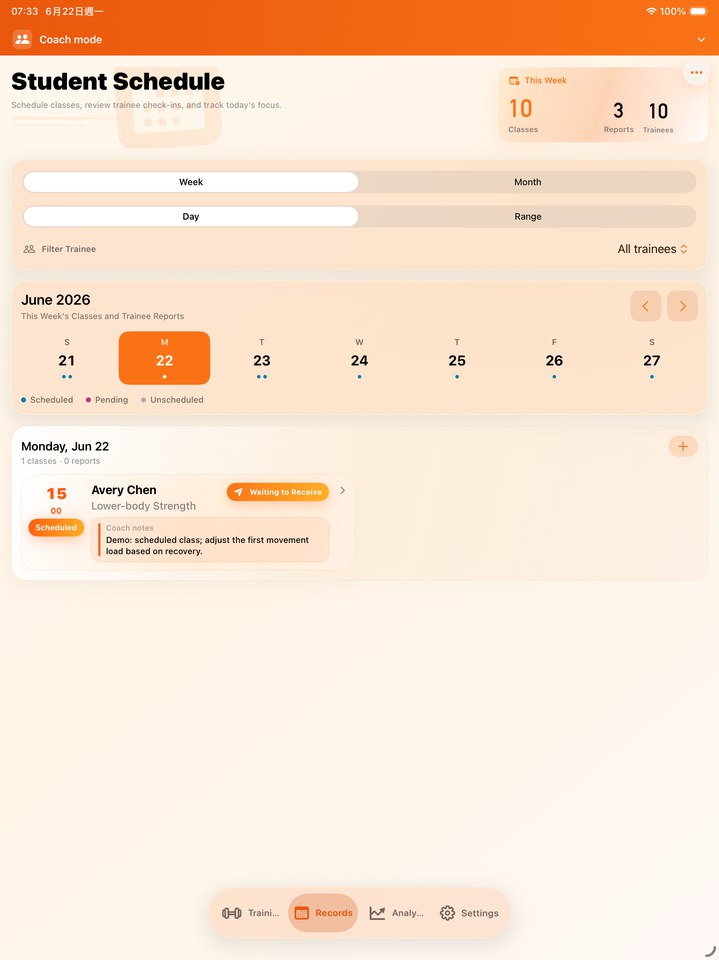 Support for a professional training workspace, captured from the release simulator build.
How to get help
Start with the usage guide, then contact FitRoster with the app version, device, iOS version, and a short description if you still need help.
Use the HTML guide for setup, editable exercise names, custom exercises, training records, analysis, and coach-trainee workflows.
Include your question, app version, device model, iOS version, and the screen where the issue happens.
For privacy or data questions, use the dedicated Privacy Policy page and support email.
Contact
For product questions, release support, privacy requests, or documentation feedback, contact FitRoster by email.
fox3nova@gmail.comRead the multilingual guide for setup, custom exercises, coach-trainee workflows, records, analysis, backup, and settings.
Privacy PolicyReview how FitRoster handles app data, iCloud, backup, camera QR scanning, and support emails.
Guide screenshotsOpen the HTML guide with localized screenshot paths for App Store and documentation work.
FAQ
No. FitRoster presents its core training workflow without requiring a recurring subscription.
The guide is a live HTML subpage linked from the product and support pages, with multilingual content and localized screenshots.
Send the app version, device model, iOS version, the role you use, and whether the question is about iCloud sync, coach-trainee sharing, or backup files.
Yes. The release site and guide library are structured for more language versions, and additional guides will be added progressively.