Read the guide
Use the HTML guide for setup, editable exercise names, custom exercises, training records, analysis, and coach-trainee workflows.
 FitRoster Pro
Back to product page
FitRoster Pro
Back to product page
Support URL
Find usage guides, contact support, and get release-ready help for coaching, trainee schedules, training records, sync, backup, and privacy requests.
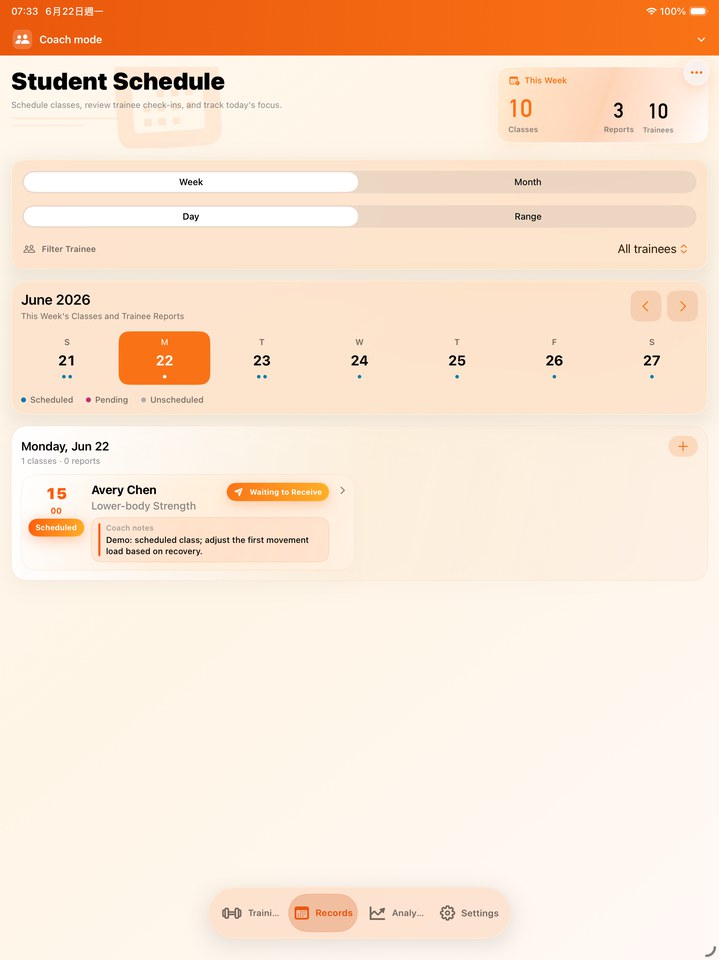 Support for a professional training workspace, captured from the release simulator build.
How to get help
Start with the usage guide, then contact FitRoster Pro with the app version, device, iOS version, and a short description if you still need help.
Use the HTML guide for setup, editable exercise names, custom exercises, training records, analysis, and coach-trainee workflows.
Include your question, app version, device model, iOS version, and the screen where the issue happens.
For privacy or data questions, use the dedicated Privacy Policy page and support email.
Contact
For product questions, release support, privacy requests, or documentation feedback, contact FitRoster Pro by email.
fox3nova@gmail.comRead the multilingual guide for setup, custom exercises, coach-trainee workflows, records, analysis, backup, and settings.
Privacy PolicyReview how FitRoster Pro handles app data, Apple Health, iCloud, backup, camera and photo access, AI features, voice input, and support emails.
Exercise item feedbackSuggest a missing exercise item by email with a name and reference image.
Guide screenshotsOpen the HTML guide with localized screenshot paths for App Store and documentation work.
FAQ
No. FitRoster Pro is positioned as a complete app without a recurring subscription or later paid unlock for the core coach and trainee workflows.
The guide is a live HTML subpage linked from the product and support pages, with multilingual content and localized screenshots.
Send the app version, device model, iOS version, the role you use, and whether the question is about iCloud sync, coach-trainee sharing, or backup files.
Yes. The release site and guide library are structured for more language versions, and additional guides will be added progressively.
FitRoster Pro uses Apple Health (HealthKit) to read your latest body weight and, after authorization, save completed workouts (activity type, start/end time, duration, workout title and a sync identifier). It does not read heart rate or write body weight. These permissions are optional.
Disconnect stops future Apple Health (HealthKit) access from FitRoster; existing data remains. Manage system permissions or delete saved workouts in Apple Health. Imported body weight may be included in an AI request only after third-party AI consent and the applicable request controls. Manual logging remains available without HealthKit.
Optional AI uses your selected OpenAI (GPT), Google (Gemini), Anthropic (Claude) or xAI (Grok) service. Before the first connection, review the data disclosure and explicitly consent. Manage or withdraw consent in Settings → AI Data Sharing.
Optional third-party AI. Only the provider you select receives data when you request an AI action and consent. Saving an API key does not grant consent.
Consent is saved on this device for this provider and disclosure version. Other providers require separate consent. Cancel keeps manual logging, plans and local analysis available. Review or withdraw consent in Settings → AI Data Sharing. Withdrawal blocks new requests and cancels active AI requests; data already delivered cannot be recalled. Consent alone never starts an AI request.
The selected provider processes data under its API terms, retention rules and account settings. Review its privacy policy below. Share another person’s data only with their permission.
Free download applies to the app. Optional AI requires your own provider API key; provider usage may incur separate charges. Check the price shown in your App Store before downloading.
AI can make mistakes. Review generated plans, interpretations and recognized values before using or saving them. AI does not provide medical diagnosis, treatment or emergency advice.